
Model AP H720B Smart Aroma Diffuser
The AP H720B Aroma Diffuser is a high performance, Bluetooth enabled scenting device engineered for large area fragrance coverage up to 100 m². Built with a durable aluminum body and a 120 ml refillable bottle, it operates on a stable DC12V power supply and offers 10 adjustable intensity levels for precise scent control. Through the Scent Marketing mobile app, users can customize working periods, set weekly schedules, adjust spray and pause times, and manage device settings with secure password protection. The diffuser features a clear display interface, multiple timer options (1H, 2H, 4H, 8H), and a simple installation process for quick setup. Routine maintenance, including alcohol based cleaning, ensures optimal atomization performance, while built in safety guidelines and troubleshooting support help maintain reliable operation in professional environments such as hotels, retail spaces, offices, and reception areas.
Technical Specifications
| Feature | Details |
|---|---|
| Model | AP H720B |
| Material | Premium Aluminum |
| Coverage | 100㎡/300m³/10500ft³ |
| Bottle Capacity | 120ml |
| Power | 4.5W (12V 1A MAX) |
| Dimensions | 112mm x 112mm x 293mm |
| Input Voltage | DC 12V=1A12V=1A MAX |
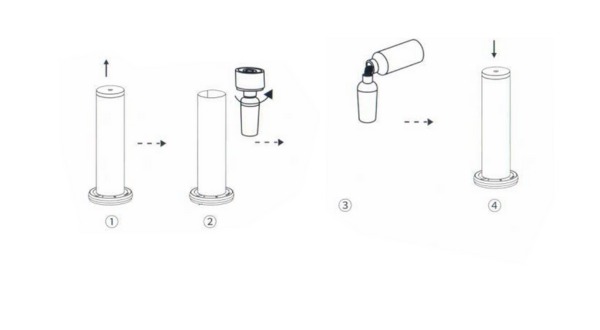
Quick Setup & Installation
Follow these simple steps to get your diffuser started:
1- Extract the Head:
Gently lift the fragrance export head from the main body.
2- Remove the Bottle:
Twist the 120ml essential oil bottle clockwise to detach it.
3- Fill:
Fill the bottle with your preferred high-quality essential oil.
4- Reassemble:
Screw the bottle back onto the head securely and place the head back into the machine body.
5- Power On:
Connect the DC power adapter (12V 1A). You will hear a "beep" sound indicating the device is powered.
Bluetooth Smart Control
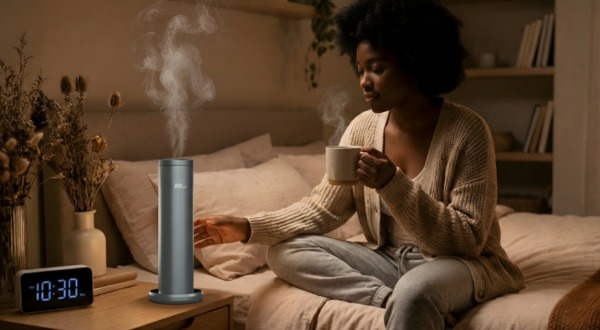
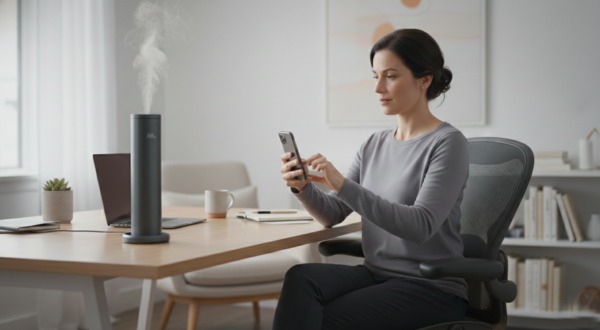
The AP H720B is fully compatible with the "Scent Marketing" app for advanced scheduling.
1- Download:
Search for "Scent Marketing" in the Google Play Store or Apple App Store.e.
2- Connection:
Enable Bluetooth on your smartphone and select your device (A313_XXXX).
3- Password:
The default factory password is 8888.
4- Scheduling:
Set specific "Work" and "Stop" times for different days of the week to maximize oil efficiency.
5- Reset:
If you need to reset the Bluetooth password, press and hold the Timer button for 3 seconds.
Manual Operation
You can also control the device directly using the touch-sensitive panel:
1- Intensity Setting:
The machine features 10 intensity levels. Use the (+) button to increase and the (-) button to decrease the scent strength.
2- Timer:
Press the Timer button to cycle through preset operation cycles: 1H → 2H → 4H → 8H → No Timer (Continuous).
3- Indicators:
The display screen shows the current intensity and timer settings.
Consumption & Performance (Grades)
| Grade | Work Time(s) | Stop Time(s) | Consumption (g/h) |
|---|---|---|---|
| G1 | 5s | 240s | 0.05 |
| G2 | 10s | 220s | 0.11 |
| G3 | 15s | 200s | 0.18 |
| G4 | 15s | 180s | 0.25 |
| G5 | 20s | 160s | 0.32 |
| G6 | 20s | 120s | 0.46 |
| G7 | 25s | 100s | 0.60 |
| G8 | 25s | 80s | 0.74 |
| G9 | 25s | 60s | 0.88 |
| Customized | 5-25s | 60-600s | - |
Maintenance & Cleaning
step 1:
Fill a clean bottle with industrial alcohol.
step 2:
Install the bottle and run the machine for 5–10 minutes.
step 3:
Turn off the power and finish the cleaning.
Troubleshooting
| Issue | Potential Solution |
|---|---|
| No Diffusion | Ensure power is ON. If the pump is running but no mist appears, clean the head with alcohol. |
| Weak Diffusion | The atomizing core may be blocked or damaged. Clean with alcohol or replace the atomized core. |
| Oil Leakage |
Ensure the bottle is screwed in tightly.
Warning: Always keep the machine vertical. Tilting or laying it flat will cause leakage and damage the circuit board. |
| No Display | Check the power connection and adapter. If the problem persists, contact technical support. |
- Safety Warning: Do not modify, dismantle, or repair the machine yourself. Always use the machine in a vertical position to prevent oil overflow.